
Google ads quietly repriced ads this week
And what to do about it

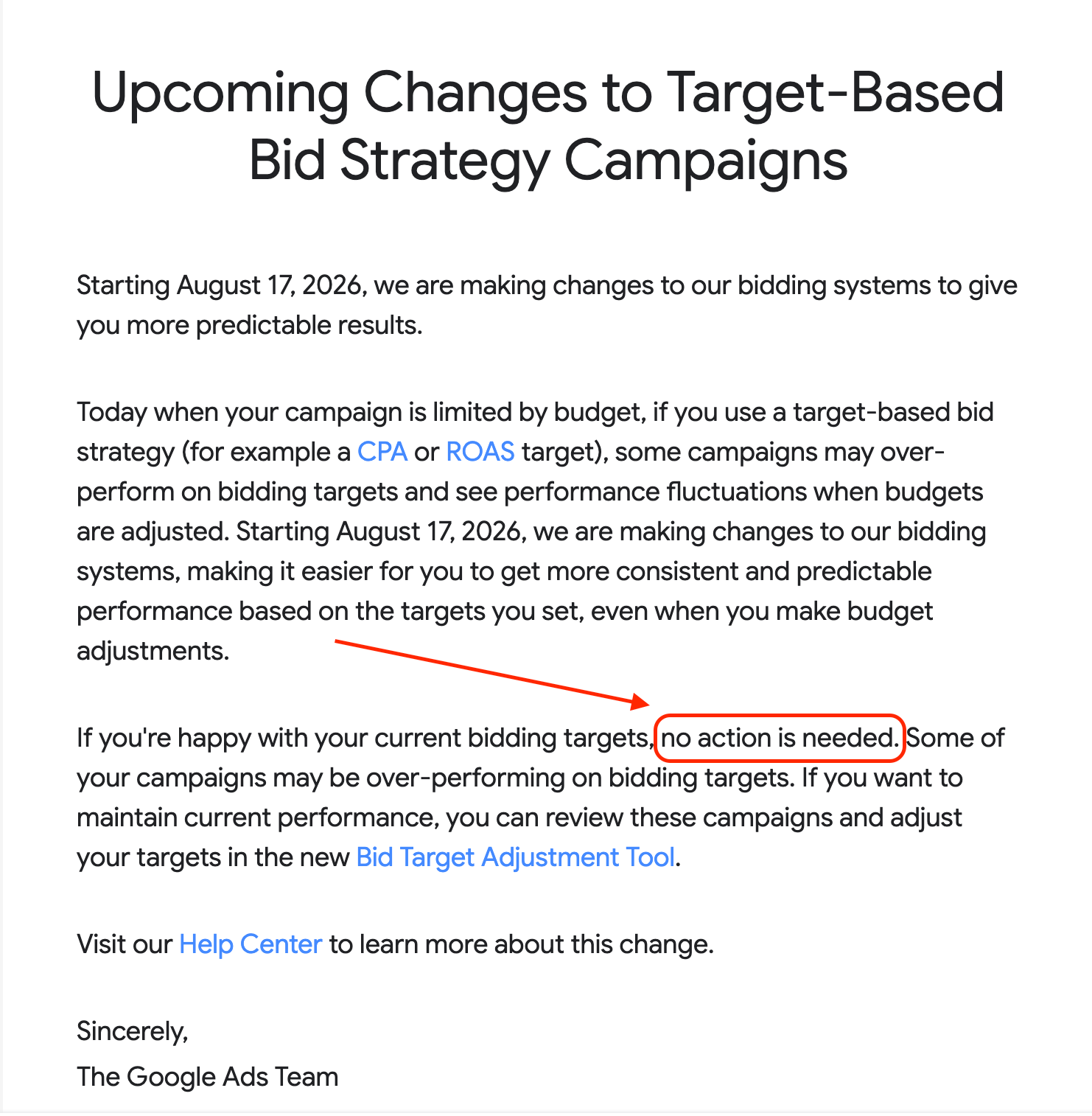
Your Google Ad account is at risk because of the latest Google Ads update. And the tricky thing is that Google Ads did not tell us how to prepare.
“No action needed” was what was mentioned by the email, which made us feel suspicious, so we dig deeper.
Here’s what do you need to know, and the three-minute check that protects you. All of it is in this email. No link you have to click to get the point.
What changed
On August 17, Google Ads started enforcing bid targets on campaigns that are limited by budget and run Target CPA or Target ROAS.
Till this week, those campaigns could quietly beat their targets. You set a target CPA of 25, and because the budget cap didn’t constrained delivery, the system often landed you conversions at 14 or 16. Efficiency you never asked for, subsidizing your acquisition cost every month.
That’s over. Now, the campaign delivers AT the target you set. Target says 25, you get 25.
Same budget. Fewer results.
Google calls it predictability, and it genuinely is more predictable. On a budget-capped account it also behaves exactly like a price rise, because the free over-performance is the thing that got removed.

I don’t know about you, but this made me feel very suspicious, when Google ads tell me that they need just no action needed, and they just do it to get predictable results. What I feel is that it’s much bigger than that.
And here’s why this lands on almost everyone: most growth accounts run budget-capped by design. A finite budget against a bigger market is the normal state of paid acquisition. The normal state just got repriced.

That’s exactly the definition of a rug bull, to suddenly take away crucial support, help, or a safety net from a person, leaving them in a difficult or unstable situation.
And as always, since we don’t have the powers to question Google, I digress.
The three-minute check
Open your account and do this today if you haven’t:
Filter campaigns for “Limited by budget” that run Target CPA or Target ROAS.
Pull the last 30 days of actual CPA or ROAS against the target.
Wherever the campaign was beating its target, make the actual number the new target.
You’re locking in the performance the system was already giving you, before it drifts back to the number on the label.
Google shipped a Bid Target Adjustment Tool that flags affected campaigns and recommends targets. Use it to find the campaigns. Don’t let it set the number. The recommendation knows your history. It doesn’t know your margins, your close rates, or what a customer is actually worth to you. Our team is going to test it and we’re going to share here if it’s useful at all
Key point now is that it is very important and very crucial to know exactly what the actual performance levels are for each campaign. So the target CPA and target ROAS have to match it. This has to be a very careful calibration now to manage the transaction after the change.
Tightening to the actual protects efficiency.
That’s a business decision, and it belongs to whoever knows what a customer is worth. What’s gone is the option of not deciding. The default now decides for you.
The part that outlasts this update
A bid target used to be a ceiling you could beat. From this week it’s a promise Google keeps exactly.
Which means the quality of the number you type in is now the whole job. A target pulled from a benchmark article gets honored to the decimal. So does a target built from real close rates and verified tracking. The platform stopped grading on a curve.
I’ve watched a decade of platform shifts from inside ad accounts. The accounts that get hurt are rarely the ones with bad Performance Marketing. They’re the ones where nobody trusted the measurement enough to know what the target should be.
If your tracking is clean and your funnel math is real, this update cost you three minutes this week. If they aren’t, it’s about to show you, one drifting CPA at a time.
Check the capped campaigns first. Then check where your targets came from. The second question decides your next quarter.
Gamal
PS: We are working on a script to do the whole process automatically: checking campaigns and making sure it uses the right target CPA and target ROAS based on actual performance. It is to be able to use the target CPA and target ROAS as a performance lever, meaning when to increase it automatically.
If you want to be the first one to hear about this script, reply with “script”, and whenever it is ready, I’m going to share it with you for free.
if you are not subscribed, please make sure to subscribe :)